Creating Custom Themes
Overview
A consistent visual identity helps create a professional worship experience. This tutorial shows you how to create custom themes that match your church's branding.
What You'll Need
- Your church's brand colors (hex codes if possible)
- A background image or video (optional)
- Your preferred fonts
- 20 minutes to design and test
Step 1: Plan Your Design
Before opening the editor, decide on:
- Primary color: Used for headings and accents
- Background: Dark, light, or image-based
- Font: Serif (traditional feel) or sans-serif (modern feel)
- Mood: Warm and welcoming, bold and energetic, calm and reflective
Step 2: Create a New Theme
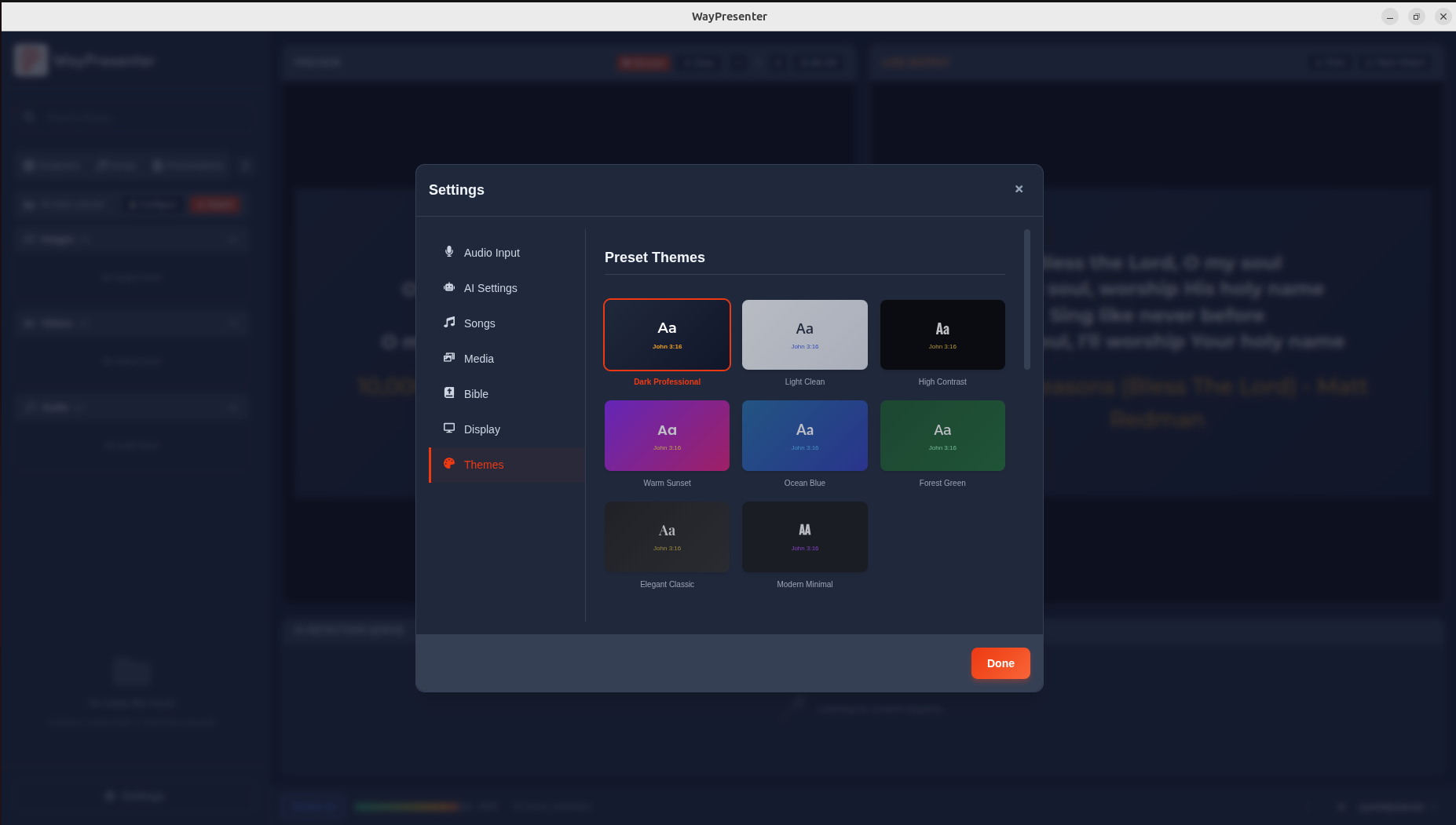
- Go to Settings > Themes
- Click Create New Theme
- Name your theme (e.g., "Grace Community - Main")
- Optionally, start from an existing theme as a base
Step 3: Configure the Background
Solid Color or Gradient
- Select Background Type: Color or Gradient
- Pick your colors using the color picker
- For gradients, add color stops and adjust direction
Image Background
- Select Background Type: Image
- Upload your image (recommended: 1920x1080 minimum)
- Adjust brightness, blur, and overlay opacity
- Make sure text remains readable over the image
Video Background
- Select Background Type: Video
- Upload a looping video (MP4 or WebM, under 30 seconds recommended)
- Keep video subtle — avoid distracting motion
- Add a dark overlay for text readability
Step 4: Set Typography
- Choose fonts for each text type:
- Scripture text: Large, readable serif font works well
- Song lyrics: Clean sans-serif for singability
- References: Smaller, complementary font
- Set font sizes, weights, and colors
- Add text shadow for readability over images
Step 5: Preview and Test
- Click Preview to see your theme with sample content
- Test with both short verses and long passages
- Test with song lyrics (multiple lines)
- Check readability from a distance
- Test on your actual projector or display
Step 6: Create Variations
Consider creating themed variations:
- Main: For regular services
- Christmas: Festive backgrounds and colors
- Easter: Resurrection-themed imagery
- Special Events: Unique branding for conferences or retreats
Sharing Your Theme
Export your theme to share with other WayPresenter users:
- Right-click the theme in Settings
- Select Export Theme
- Share the
.wpthemefile
Design Tips
- Contrast is king: Ensure text stands out from the background
- Less is more: Simple designs are easier to read
- Test in context: Always preview on the actual projection system
- Consider lighting: Room lighting affects how colors appear on screen
- Accessibility: Use large fonts and high contrast for readability