Custom Themes
Creating Custom Themes
WayPresenter's theme system gives you complete control over how your presentations look. You can create themes that match your church's branding perfectly.
Theme Structure
A WayPresenter theme consists of several components:
- Background: Solid color, gradient, image, or video
- Typography: Font family, size, weight, and color for different text types
- Layout: Text positioning, margins, and alignment
- Effects: Text shadows, transitions, and animations
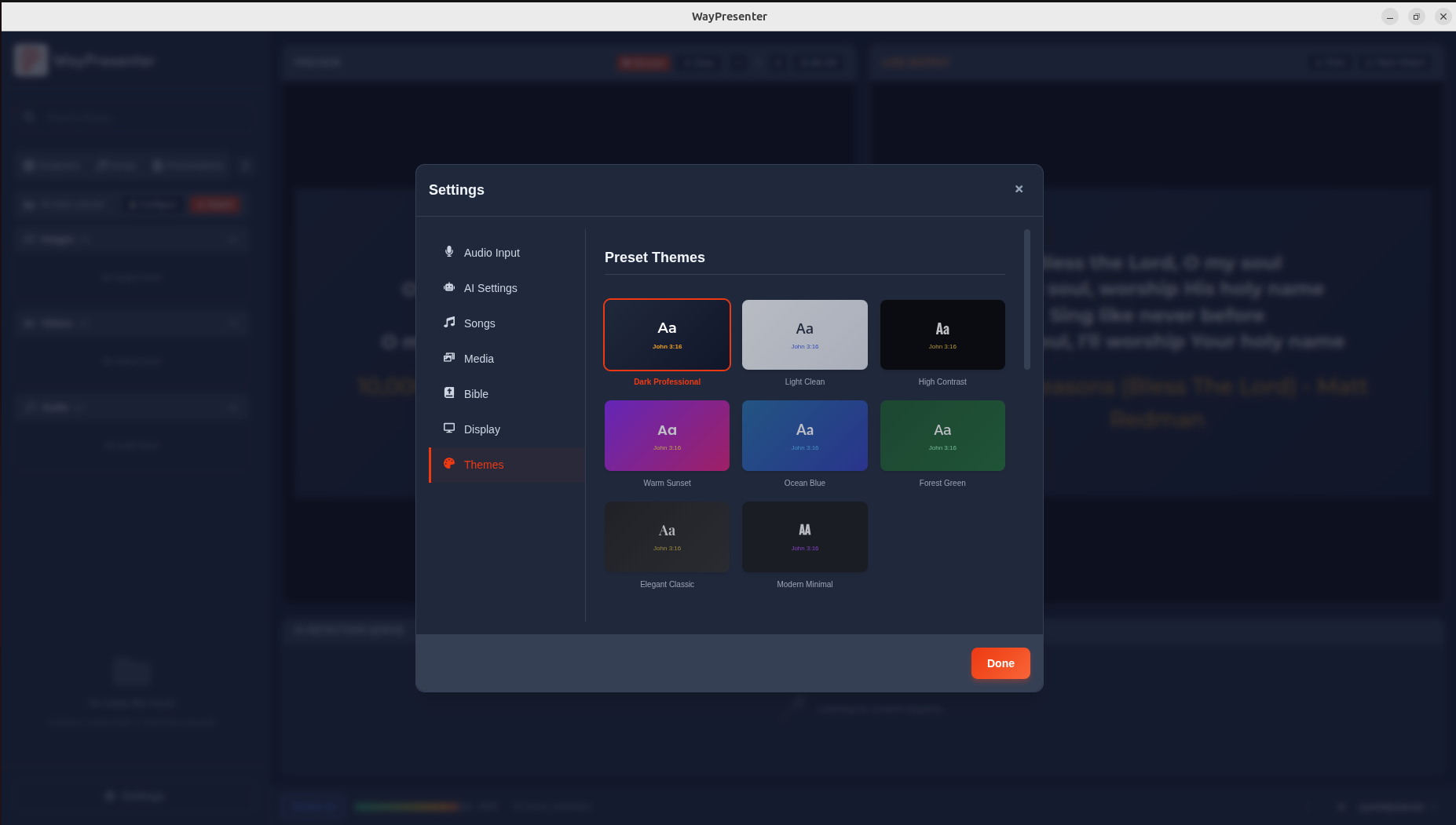
Using the Theme Editor
- Go to Settings > Themes > Create New
- Start from a blank template or duplicate an existing theme
- Configure each section using the visual editor
- Preview changes in real-time on the right panel
- Save when you're satisfied with the result
Background Options
| Type | Description |
|---|---|
| Solid Color | Single background color with opacity control |
| Gradient | Linear or radial gradient with multiple color stops |
| Image | Static image with positioning and scaling options |
| Video | Looping video background (MP4, WebM) |
Typography Settings
Configure fonts separately for:
- Scripture text: The main Bible verse content
- Scripture reference: Book, chapter, and verse citation
- Song lyrics: Worship song text
- Song title: Song name display
- Headings: Section headers and announcements
Advanced CSS Overrides
For complete control, you can add custom CSS in the Advanced tab of the theme editor:
.slide-content {
  text-shadow: 2px 2px 4px rgba(0, 0, 0, 0.5);
  letter-spacing: 0.02em;
}

.scripture-reference {
  font-style: italic;
  opacity: 0.85;
}
Sharing Themes
Export your themes to share with other churches:
- Go to Settings > Themes
- Right-click a theme and select Export
- Share the
.wpthemefile - Others can import it via Settings > Themes > Import
Best Practices
- Use high-contrast text colors for readability in bright rooms
- Keep font sizes large enough to read from the back row
- Test themes with both short and long scripture passages
- Use consistent branding across all content types
- Avoid busy backgrounds that compete with text