Bible Library
Bible Library
The Bible Library is the central place in WayPresenter where you manage translations, look up passages, and organize your most-used scriptures for quick access during services.
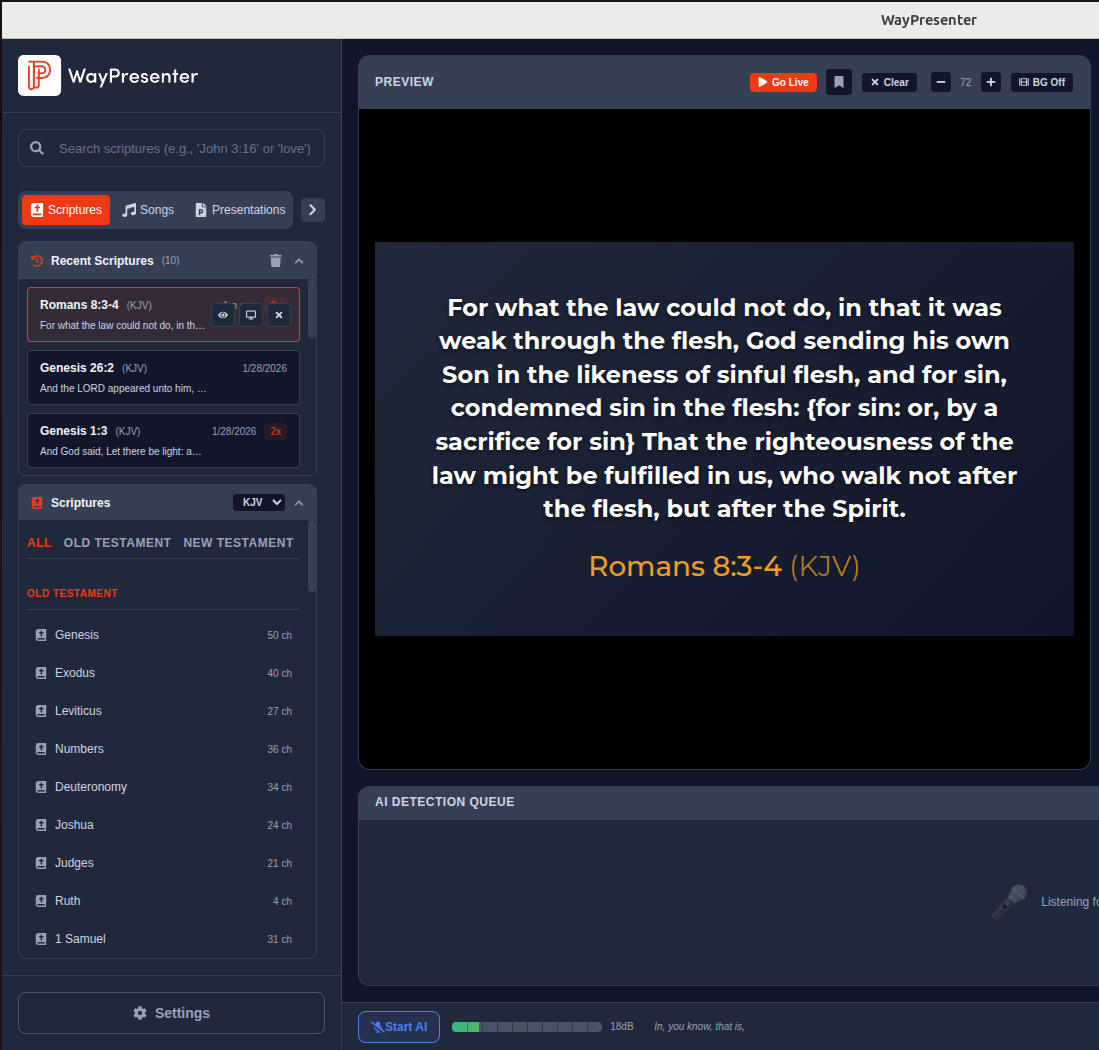
Available Translations
WayPresenter ships with the King James Version (KJV) pre-installed and ready to use out of the box. Additional translations are available for download directly within the application:
- NIV (New International Version)
- ESV (English Standard Version)
- NLT (New Living Translation)
- NASB (New American Standard Bible)
More translations are added over time. Check the Library > Available Translations section periodically for new additions.
Installing Additional Translations
- Open the Bible Library from the sidebar.
- Click the Manage Translations button in the top-right corner.
- Browse the list of available translations.
- Click Install next to the translation you want.
- The download begins immediately and typically completes in a few seconds.
Once installed, a translation can be set as your default or used alongside others for comparison.
Comparing Translations Side-by-Side
WayPresenter allows you to view the same passage in multiple translations simultaneously, which is helpful for study or when your pastor references more than one version.
- Look up a passage in your primary translation.
- Click the Compare icon (two overlapping documents) next to the verse reference.
- Select up to three additional translations from the dropdown.
- The passage is displayed in a multi-column layout with each translation clearly labeled.
When displaying a compared passage on screen, you can choose whether to show all translations at once or cycle through them with a set interval.
Search and Bookmarks
Searching for Passages
The Bible Library includes a powerful search that lets you find passages by reference or by keyword.
- By reference: Type a reference like "Psalm 23" or "1 Cor 13:4-7" into the search bar. WayPresenter recognizes standard abbreviations and common shorthand.
- By keyword: Enter a word or phrase such as "love one another" to search across the full text of your installed translations. Results are ranked by relevance and grouped by book.
- By topic: Use the topic browser to explore pre-categorized passages for common sermon themes like grace, faith, hope, and salvation.
Bookmarking Verses
Bookmark any verse or passage for quick access later.
- Navigate to the passage you want to save.
- Click the bookmark icon next to the verse reference.
- Optionally assign a label or color to the bookmark for organization.
- Access all bookmarks from the Bookmarks tab in the Bible Library sidebar.
Bookmarks are stored locally and persist between sessions. You can export your bookmarks as a backup or share them with another WayPresenter installation.
Managing Favorites
The Favorites system is designed for passages you use repeatedly across multiple services, such as a benediction verse or a weekly call to worship.
- Add to Favorites: Right-click any passage and select Add to Favorites, or drag it into the Favorites panel.
- Organize with folders: Create folders within Favorites to group passages by series, service type, or any system that works for your team.
- Quick-display: Click any favorite to instantly load it into the presentation queue, saving time during a live service.
- Reorder: Drag and drop favorites within a folder to set the order that makes the most sense for your workflow.
Favorites differ from bookmarks in that they are optimized for live use. While bookmarks are for personal reference, favorites are designed to be accessed quickly under the pressure of a live service.